
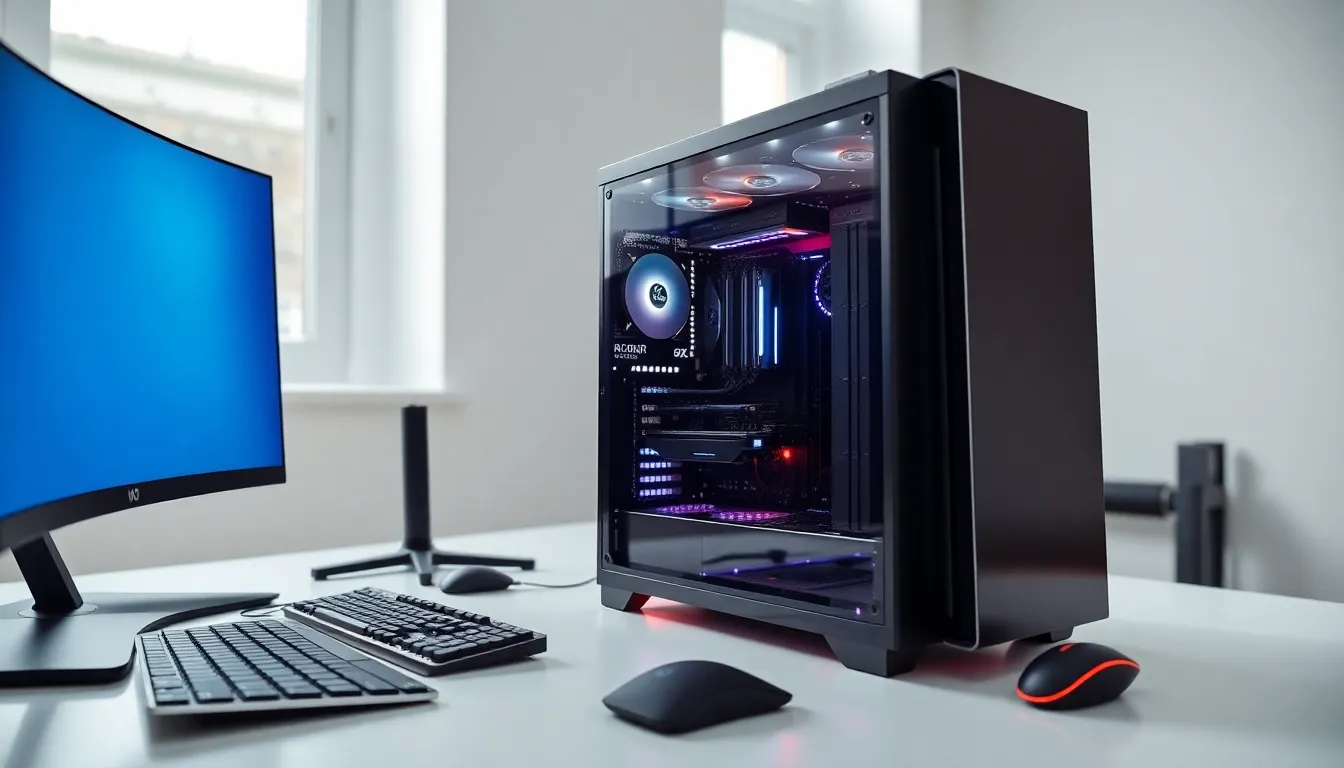
What is hardware? In simple terms, hardware refers to the physical components that make up a computer system. These are the parts you can touch, the monitor, keyboard, processor, and everything in between. Without hardware, software has nowhere to run.
Every computing device relies on hardware to function. From smartphones to supercomputers, physical components process data, store information, and display results. Understanding hardware helps users make better purchasing decisions, troubleshoot problems, and appreciate how their devices actually work.
This guide breaks down the essential hardware components, explains how they differ from software, and covers why these physical parts matter for everyday computing.
Table of Contents
ToggleKey Takeaways
- Hardware refers to the physical components of a computer system—everything you can touch, from the processor to the keyboard.
- Internal hardware like the CPU, RAM, and storage drives determines your computer’s speed, multitasking ability, and data capacity.
- Hardware and software depend on each other: hardware provides the physical foundation, while software delivers the instructions that make it work.
- Investing in quality hardware improves performance, extends device longevity, and proves more cost-effective over time.
- Understanding hardware basics helps you make smarter purchasing decisions, troubleshoot issues, and know when upgrades are needed.
Understanding Hardware Basics
Hardware includes all physical parts of a computer system. The term covers everything from tiny microchips to large monitors. If a component has weight and takes up space, it qualifies as hardware.
The concept of hardware dates back to the earliest computing machines. Early computers filled entire rooms with vacuum tubes and mechanical switches. Today’s hardware fits in pockets while delivering millions of times more processing power.
Computer hardware falls into several categories based on function. Input hardware accepts data from users. Output hardware displays or produces results. Processing hardware performs calculations. Storage hardware saves data for later use. Each category plays a specific role in the computing process.
Hardware quality directly affects computer performance. A faster processor handles more calculations per second. More RAM allows smoother multitasking. Better graphics cards render images with greater detail. Users who understand hardware basics can identify which components need upgrades.
Modern hardware continues to shrink in size while growing in capability. Transistors now measure just a few nanometers across. This miniaturization enables powerful devices that fit comfortably in a backpack or pocket.
Types of Computer Hardware
Computer hardware divides into two main groups: internal components and external devices. Internal hardware sits inside the computer case. External hardware connects from outside. Both types work together to create a functional system.
Internal Components
The motherboard serves as the main circuit board. It connects all other hardware components and allows them to communicate. Every internal part either plugs into or attaches to the motherboard.
The Central Processing Unit (CPU) acts as the computer’s brain. It executes instructions and performs calculations. CPU speed, measured in gigahertz, indicates how many operations it handles per second. Popular CPU manufacturers include Intel and AMD.
Random Access Memory (RAM) provides temporary storage for active programs. More RAM means better multitasking ability. When a computer runs low on RAM, it slows down significantly. Most modern computers contain between 8 and 32 gigabytes of RAM.
Storage drives hold data permanently. Hard Disk Drives (HDDs) use spinning magnetic platters. Solid State Drives (SSDs) use flash memory with no moving parts. SSDs offer faster read and write speeds but typically cost more per gigabyte.
The Graphics Processing Unit (GPU) handles visual output. It renders images, videos, and 3D graphics. Gamers and video editors often invest in powerful GPUs. Some processors include integrated graphics, while dedicated graphics cards offer superior performance.
The power supply unit (PSU) converts electricity from the wall outlet into usable power for components. It distributes appropriate voltage to each part. A quality PSU protects hardware from electrical damage.
External Devices
External hardware connects to the computer through ports and wireless signals. These devices extend functionality and enable user interaction.
Input devices let users send data to the computer. Keyboards translate keystrokes into text. Mice and trackpads control cursor movement. Microphones capture audio. Scanners digitize physical documents. Webcams record video input.
Output devices present information to users. Monitors display visual content. Speakers and headphones produce audio. Printers create physical copies of digital files.
Peripherals add extra capabilities. External hard drives expand storage capacity. USB hubs provide additional ports. Network adapters enable internet connectivity. Each peripheral serves a specific purpose in the computing experience.
Hardware connections have evolved over time. USB remains the most common interface standard. Thunderbolt and USB-C offer faster data transfer speeds. Bluetooth and Wi-Fi eliminate cables entirely for many devices.
Hardware vs. Software: Key Differences
Hardware and software depend on each other but differ fundamentally. Hardware consists of physical components. Software consists of programs and instructions. Neither functions without the other.
You can touch hardware. You cannot touch software. A hard drive is hardware. The files stored on it are software. A processor is hardware. The operating system running on it is software.
Hardware degrades over time through physical wear. Components eventually fail and require replacement. Software does not wear out physically but can become outdated or corrupted.
Upgrading hardware often requires opening the computer case and installing new parts. Upgrading software typically involves downloading and installing new versions. Hardware upgrades tend to cost more than software updates.
Hardware determines what software can run. A computer with limited RAM struggles with memory-intensive programs. An older processor may not support newer operating systems. Software requirements often specify minimum hardware specifications.
Firmware bridges the gap between hardware and software. It provides low-level instructions that tell hardware how to operate. The BIOS or UEFI on a motherboard represents common firmware examples. Firmware updates can improve hardware performance or fix bugs.
Understanding this distinction helps users troubleshoot problems. Slow performance might stem from insufficient hardware or poorly optimized software. Crashes could indicate failing hardware or software conflicts. Accurate diagnosis requires knowing where hardware ends and software begins.
Why Hardware Matters
Hardware forms the foundation of all computing activities. Every digital task, from sending emails to editing videos, relies on physical components working correctly.
Performance depends heavily on hardware quality. Faster processors complete tasks more quickly. Additional RAM prevents slowdowns during multitasking. Better storage drives reduce loading times. Users seeking improved performance often start with hardware upgrades.
Hardware choices affect longevity. Quality components last longer and maintain performance over time. Budget hardware may save money initially but often requires earlier replacement. Investing in reliable hardware proves cost-effective long-term.
Compatibility matters when selecting hardware. Components must work together properly. A powerful graphics card needs adequate power supply support. New processors require compatible motherboards. Checking compatibility prevents frustrating installation problems.
Hardware impacts energy consumption. Efficient components use less electricity and generate less heat. This reduces operating costs and environmental impact. Energy-efficient hardware also tends to run quieter.
Security considerations extend to hardware. Physical access to hardware can compromise data security. Encrypted storage drives protect information if devices get stolen. Hardware-based security features add protection layers that software alone cannot provide.
For businesses, hardware investments affect productivity and profitability. Outdated hardware slows employees down. Frequent hardware failures disrupt operations. Strategic hardware planning supports organizational goals.